Building Mortgage Ops Lab
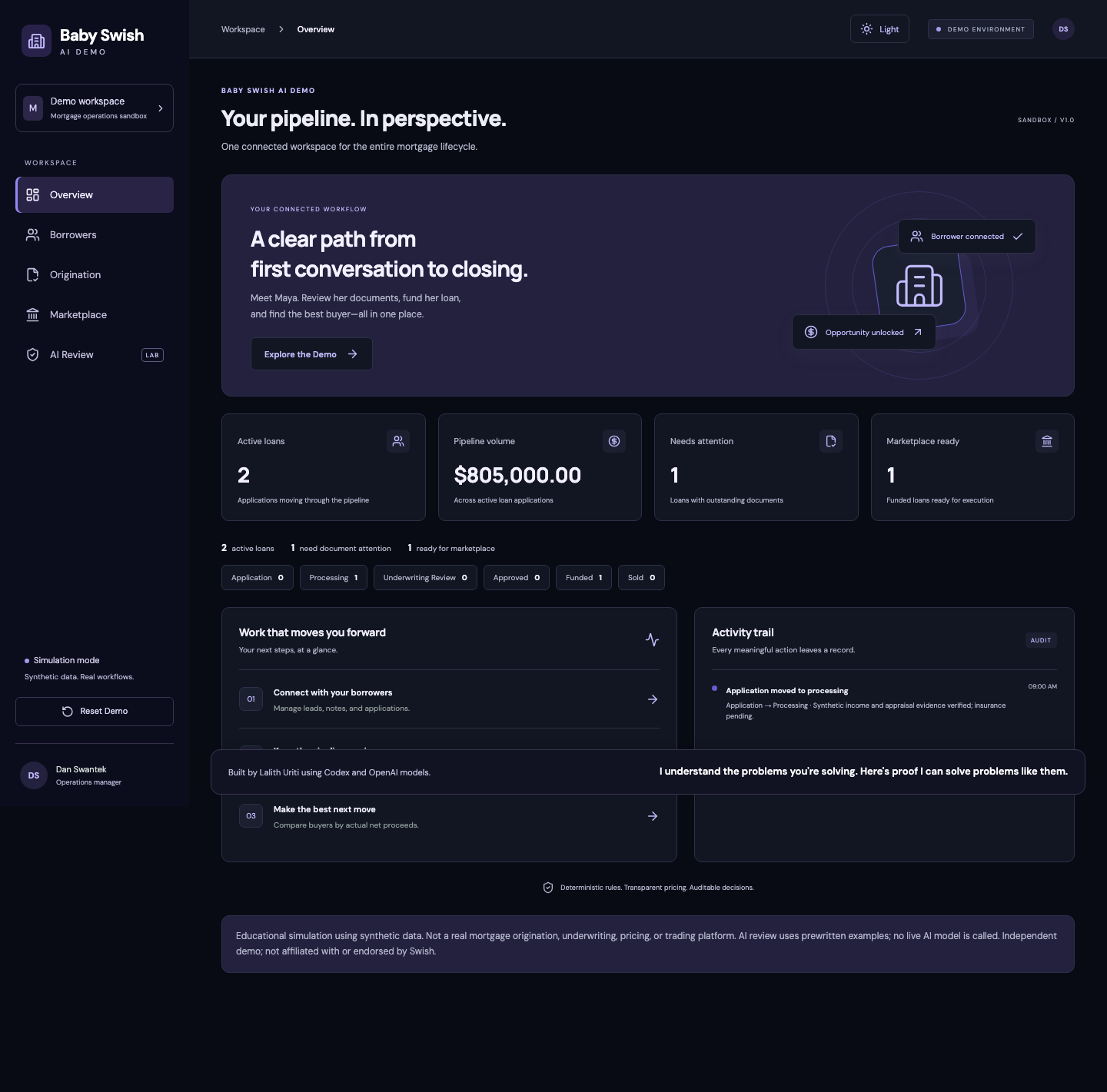
I built Mortgage Ops Lab to see how far a small dataset could take me. I wanted one borrower record to carry through an application, a document review, funding, and an investor sale without re-entering the same information at every step.
Open the demo · Read the source
Start by reading the data
The demo starts with three fictional borrowers, two loans, and three investor offers. I used these examples to give the workflow different starting points: Jordan can open an application, Maya has an incomplete file, and Avery already has a funded loan.
| Record | ID | What makes it useful |
|---|---|---|
| Maya Chen | b1 |
Has a purchase loan and still needs insurance verified |
| Maya’s loan | l1 |
$480,000, in Processing, linked to borrower b1 |
| Avery’s loan | l2 |
$325,000, funded and ready for the marketplace |
When I read a new dataset, my first question is what does one row represent? A row can be a borrower, a loan, or a document check. If a CSV repeats a loan once per document, those are multiple document rows for the same loan.
Use keys to connect the records
A table groups one kind of record. A row is one record. A column is an attribute, such as a name, amount, or status. A primary key identifies a row uniquely; a foreign key references a record in another table.
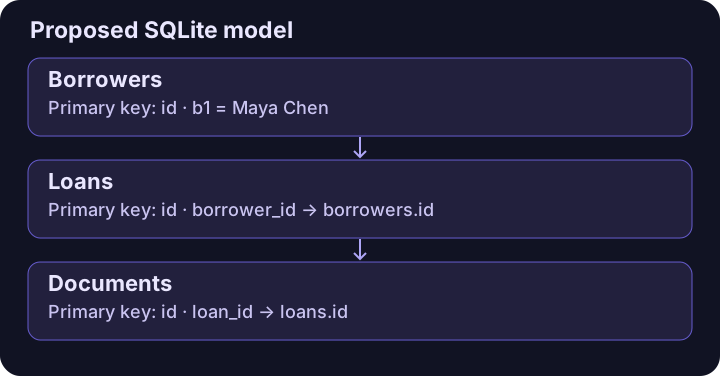
In the app, loans[].borrowerId is the link to the borrower’s id: l1 points to b1. The demo stores its objects in browser storage, with document checks embedded on the loan. The diagram shows how I’d translate those objects into SQLite tables. Supabase is used separately for visitor logging.
With foreign-key enforcement enabled, SQLite can reject a document that refers to a loan that doesn’t exist. Two documents can share loan_id = l1, because both belong to the same loan, but their own document IDs must differ. Maya’s email lives on her borrower record, so changing it doesn’t require editing every document row.
Turn the examples into a workflow
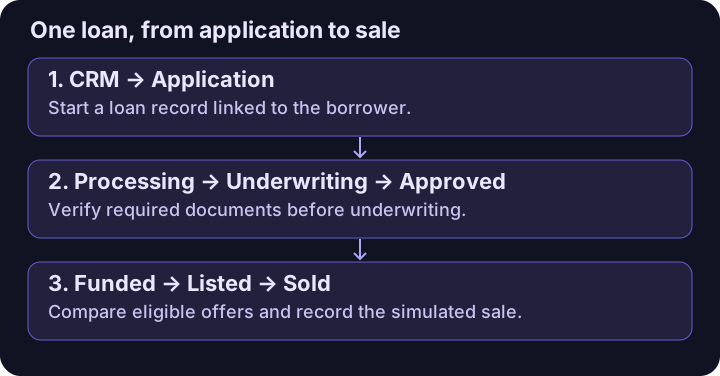
The CRM, origination, and marketplace views work from the same state. Creating an application links it to its borrower. The origination view reads the linked loan, displays its checklist, and asks the workflow rules whether the next stage is allowed.
Maya’s insurance starts unverified. The app blocks the move to underwriting until it’s verified, and the state logic checks the same rule again before changing the stage. Successful transitions add an audit event with the old state, new state, time, and reason. The dashboard derives its counts from those records, so it doesn’t need a second set of totals to keep in sync.
Compare the money actually received
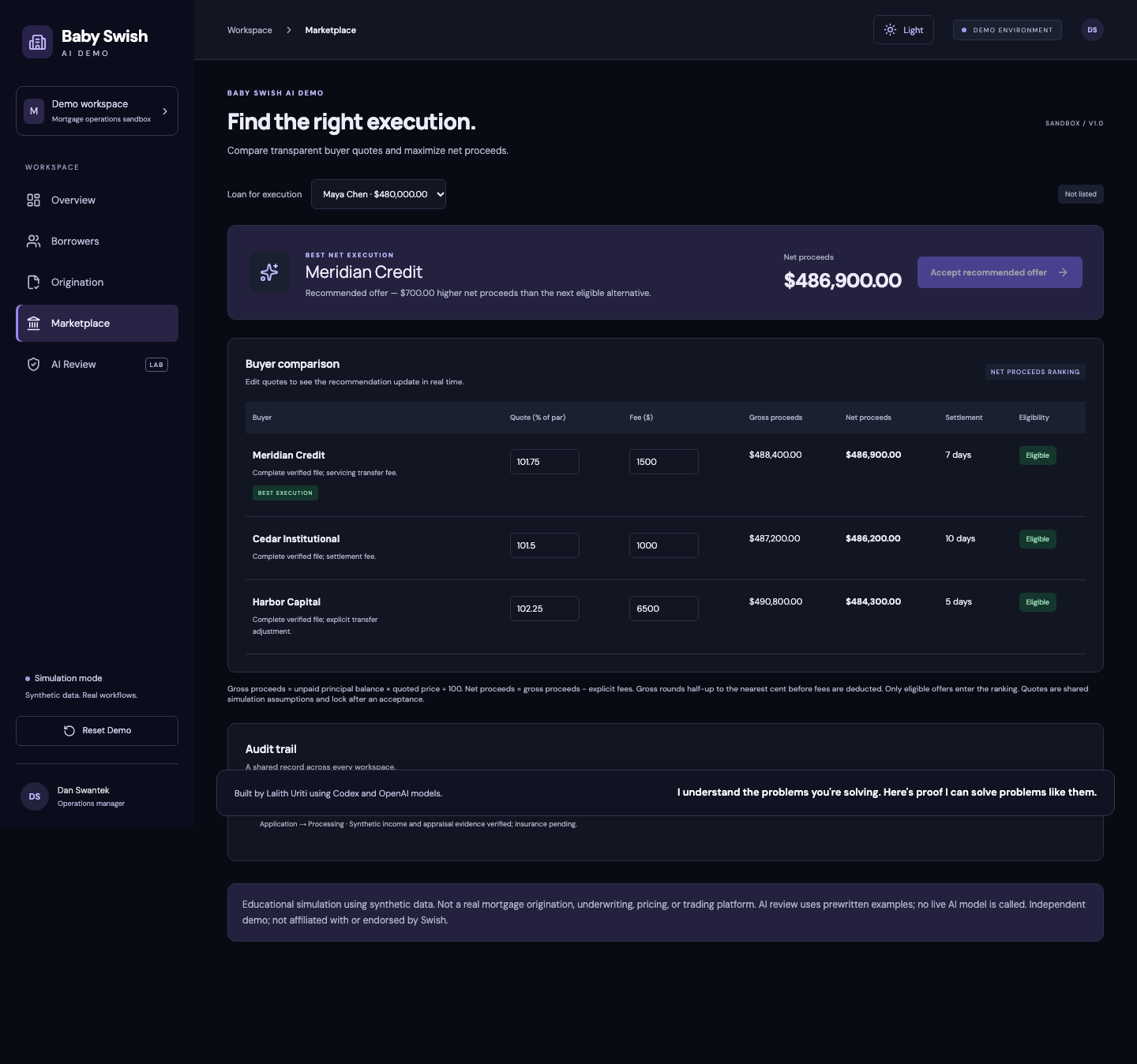
The marketplace ranks eligible offers by net proceeds. It multiplies the unpaid balance by the quote, rounds the gross proceeds to the nearest cent using half-up rounding, and subtracts the explicit fee.
| Buyer | Quote | Gross proceeds | Fee | Net proceeds |
|---|---|---|---|---|
| Harbor Capital | 102.25% | $490,800 | $6,500 | $484,300 |
| Meridian Credit | 101.75% | $488,400 | $1,500 | $486,900 |
| Cedar Institutional | 101.50% | $487,200 | $1,000 | $486,200 |
Meridian pays $700 more than the next eligible offer even though Harbor quotes the highest price. I represent money in integer cents and quotes in basis points, so the calculation and rounding rule can be tested explicitly.
Review a recommendation before acting on it
The AI review panel starts with prewritten examples. One picks the highest quote, another proposes a blocked stage transition, and a third gives an incorrect total. The validator checks each proposal against the same pricing and workflow rules the app uses. It can explain why a proposal fails without accepting an offer or updating a loan.
The app separates the React views from the pricing, transition, and validation functions. The tested release passed 65 unit tests, six browser tests, and the static production build. Browser tests include the full borrower-to-sale path, persistence, and demo reset.
What I’d change for a shared system
I chose browser storage so anyone could open the demo on GitHub Pages and try it. In a shared system, I’d move the authoritative records to a relational database, enforce keys and constraints there, and commit a state change and its audit event together in one transaction. That would make the audit record reliable even when multiple people work on the same file.
How I’d apply this as an accountant
I’d bring the same habits to accounting work: tie each reported figure back to its source, separate gross amounts from deductions, document how a number was calculated, and flag exceptions for review. For example, if settlement proceeds differed from the expected amount, I’d reconcile the difference against the recorded fees and adjustments before treating it as resolved.
The work I’m interested in is making the numbers easier to verify and the review easier to repeat. That means building checks that catch common mistakes and leaving a clear trail another person can follow.
Mortgage Ops Lab is an independent educational simulation using synthetic data. It is not affiliated with or endorsed by Swish Labs.