Building CourseLens
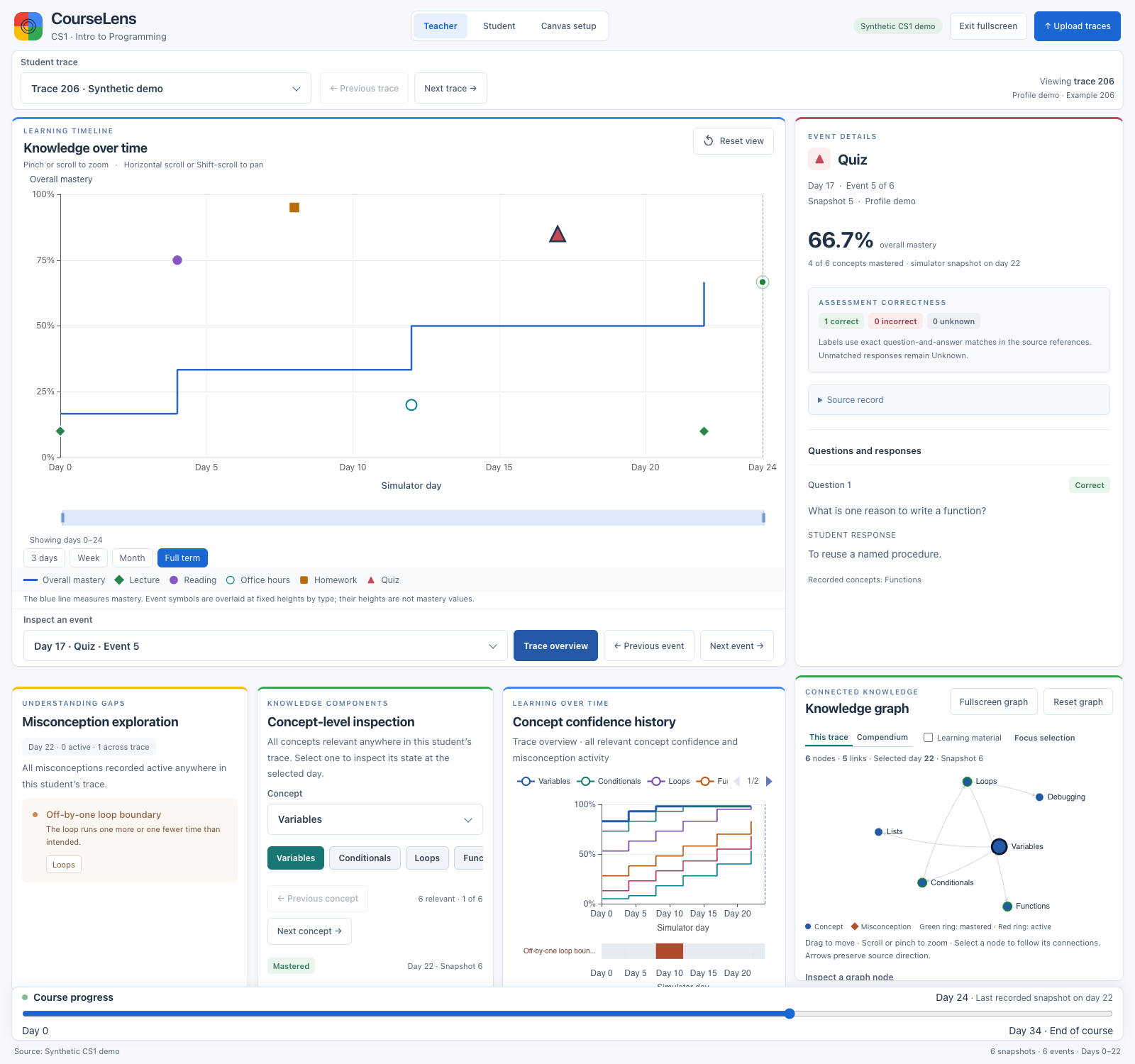
I built CourseLens to answer a question a CS1 teacher might ask: What did this student appear to understand when they submitted that assignment? The app puts the simulator’s estimate next to the recorded response so I can inspect both at the same point in the course.
Read the source · Run the demo locally
From knowledge tracing to CourseLens
In the Charlotte Machine Learning Lab, I worked with Dr. Razvan Bunescu on knowledge tracing for introductory programming. I refined a graph of 943 nodes and 2,524 edges linking knowledge components, assessment questions, and answers. I built a PyTorch graph neural network pipeline for two targets, concept mastery and misconceptions, using synthetic learning sequences from xKT-Sim.
I used Altair to inspect the simulator traces and automated loading so I could move between examples faster. CourseLens carries that trace schema and inspection workflow into a teacher interface. It reads recorded simulator output. The public demo ships with three synthetic traces and does no model inference.
One trace, one course day
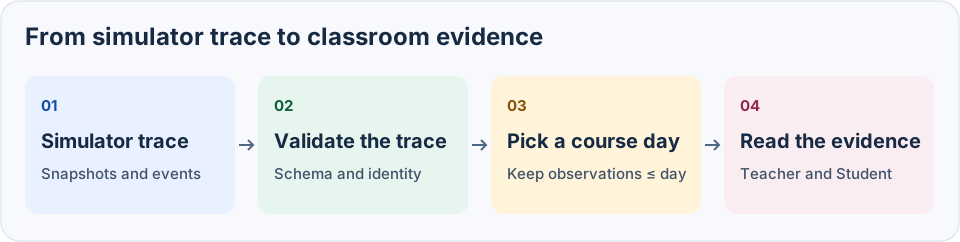
| Layer | What it does |
|---|---|
| Trace | A snapshot records concept mastery, confidence, exposure, and active misconceptions. An event links a response or assessment to its snapshot by ID. |
| Validation | Zod checks the schema, duplicate IDs, snapshot order, and event references. The app also checks the trace identity against the dataset manifest. |
| Time | The course day filters snapshots and keeps only events linked to those snapshots. Between observations, the app uses the last recorded snapshot. Teacher, Student, and Trace details share that day. |
| Evidence | Local handlers answer questions about progress, assessments, and misconceptions. For assessment labels, the app matches the normalized question and response against the reference catalog. Missing or conflicting matches stay Unknown. |
Rewind trace 206
At day 34, the simulator marks six of six concepts mastered. At day 8, it marks two of six, and the selected homework shows one correct recorded response. An item label describes that response. Mastery describes the simulator’s state across the six concepts.
The walkthrough opens a teacher reply, rewinds to day 8, and scrolls to the homework question and recorded response. In Student view, day 8 is still selected. Open the walkthrough video.
What I’m building next
- Replay model predictions. Run a knowledge-tracing model on the prefix of a held-out trace and overlay its mastery and misconception predictions at each event. Compare the predictions with simulator state and subsequent responses as separate checks.
- Show where the model is unsure. Compare confidence with observed accuracy on held-out sequences. In the UI, distinguish low confidence from missing evidence so a teacher can tell when to inspect the trace.
- Connect the evidence to a teacher decision. Start with an authorized course export and map assignment and item IDs to trace events. Ask a teacher to pick one follow-up and identify the evidence they used before building live Canvas sync.